
I am not a Claude Code master. But I ship with it every single day, and after building my consulting brand website and a couple of applications from scratch, I have learned that the advice flooding LinkedIn and YouTube about AI coding tools misses the point entirely. The tool does not matter nearly as much as the person holding it - something I first realized when Claude built my Wix website in 3 hours.
In this post, I’ll break down my Claude Code setup, when I use BMAD vs plan mode, how I structure CLAUDE.md, and the lessons I learned after shipping three real projects.
My Claude Code Setup
Here is the Claude Code setup I use daily:
| Category | What I Use |
|---|---|
| IDE | VS Code with Claude Code extension |
| Models | Opus for heavy lifting (architecture, security, complex code), Sonnet for planning and iterative polish |
| AI SDLC | BMAD Method for large projects, Claude Code plan mode for smaller features |
| MCP Servers | Chrome Browser, Playwright, GitHub |
| Skills | Security review (built-in), SEO analysis, Google Analytics, web accessibility, web design |
| Agent | Single agent sessions (no multi-agent orchestration.. yet) |
| Cowork | Blog refinement, presentations, idea shaping, creative writing (guide by Ruben) |
Let me walk you through the three projects that shaped this Claude setup.
Project 1: Rebuilding ranthebuilder.cloud with Claude Code
Meet ranthebuilder.cloud, my consulting brand website where I share everything I learn about AWS Serverless, platform engineering, and AI-assisted development. I first built it on Wix, almost 4 years and it looked and felt completely different.
When I rebuilt it with Claude Code, it handled the initial build impressively fast. But it did not handle SEO optimization, Google Analytics integration, security hardening, or Google PageSpeed tuning on its own. These are the things that separate an amateur website from a production-ready one, I had to drive all of them myself because I had spent years understanding why they matter.
Where things got exciting was discovering community Claude Code skills. Boaz’s skills added production expertise to the next level, and Anthropic’s web design skill (Thanks Chen for introducing this to me!) took the UX polish to another level with micro animations. My two cents: you need to actively seek out skills that complement your expertise gaps, because Claude Code might not suggest them on its own.
Another thing I have noticed is that many MCP servers I initially relied on can be replaced by well-written skills. The advantage is transparency: I can read the skill text, review it for security issues, and understand exactly what it tells Claude to do, while MCPs are black boxes.
But what about building something entirely new where the problem space is not fully mapped?
Project 2: Using BMAD with Claude Code Before Writing Code
Meet Propel, my customized Kanban board Mac application tailored to my personal workflow. It’s nothing innovative; it just solves a problem I had without paying anyone and I can customize it however I want.
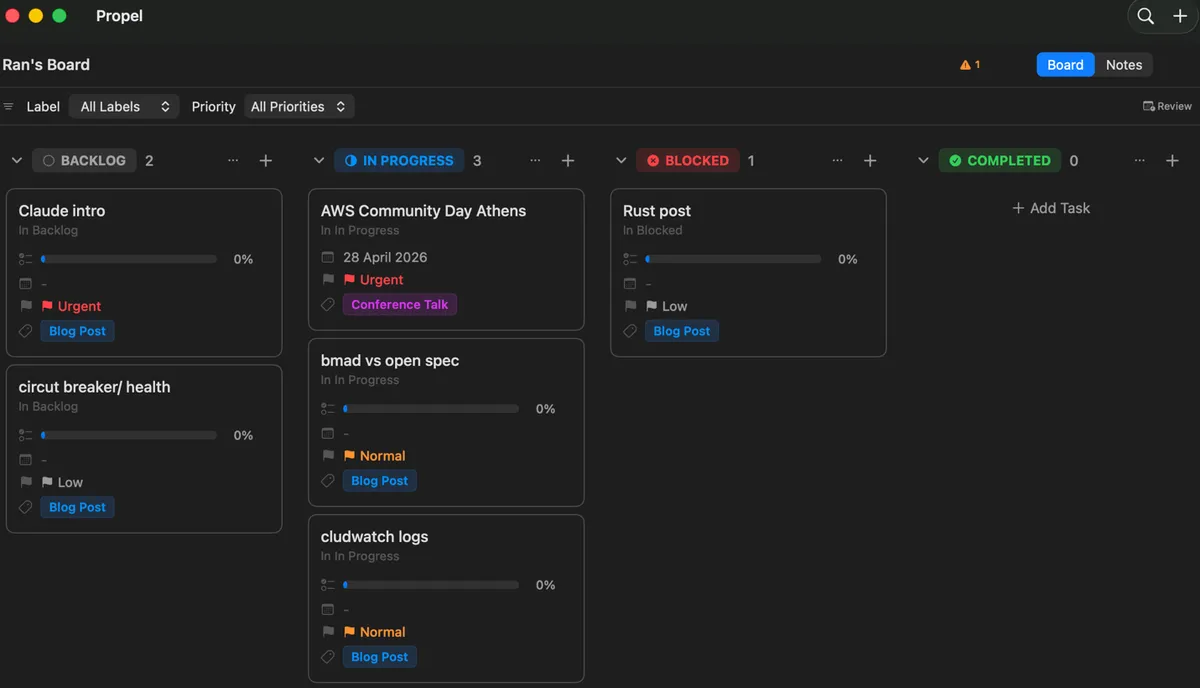
When I built it, I used Claude Code alongside BMAD, an AI SDLC framework that guides you through product design, user flows, and specifications before you write a single line of code. BMAD also keeps Claude Code on track during implementation by continuously validating progress against the spec, requesting verification at each stage, and ensuring nothing gets missed along the way. BMAD then found contradictions in the spec and even identified security risks, leveraging its specialized skills.
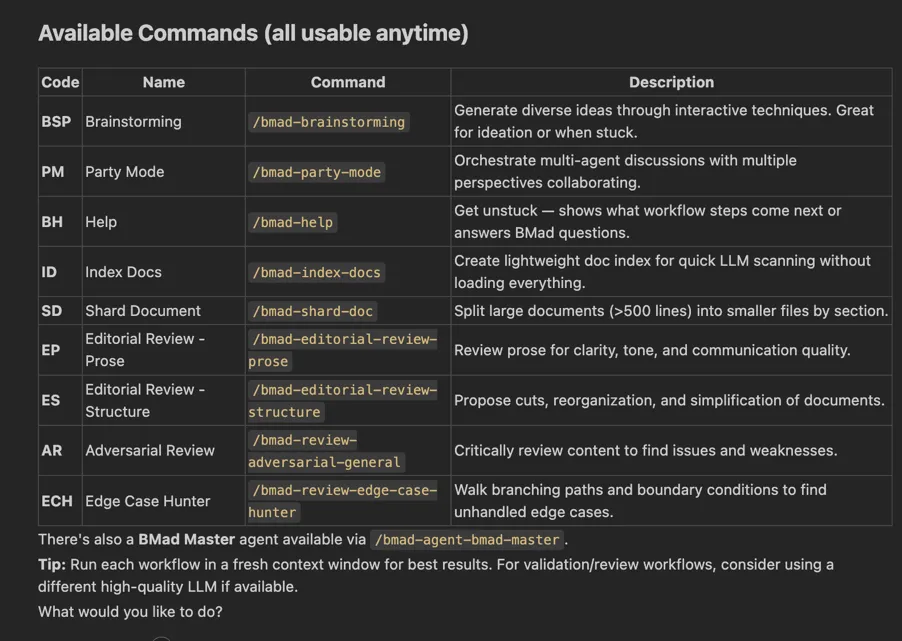
That hour produced 36 (!) user flows I did not know I needed. BMAD challenged my assumptions, I challenged its suggestions, and the result was a design that covered scenarios I would have discovered weeks into development through painful debugging.
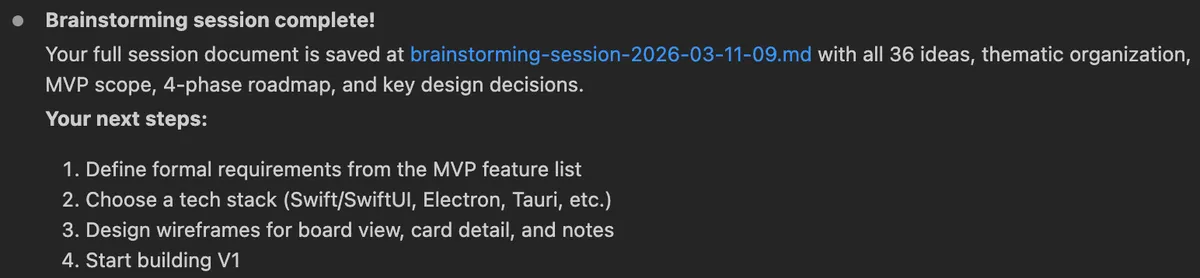
Propel convinced me that investing in specs before code is always worth the time. But does every project need that level of investment?
Project 3: When Claude Code Plan Mode Is Barely Enough
Meet mac-folder-sync, a Mac application that leverages ‘rclone’ open-source to sync my Google Drive folder (or any folder to that matter) to my NAS.
I skipped BMAD for this one and used Claude Code’s plan mode instead since it felt proportional to the scope.
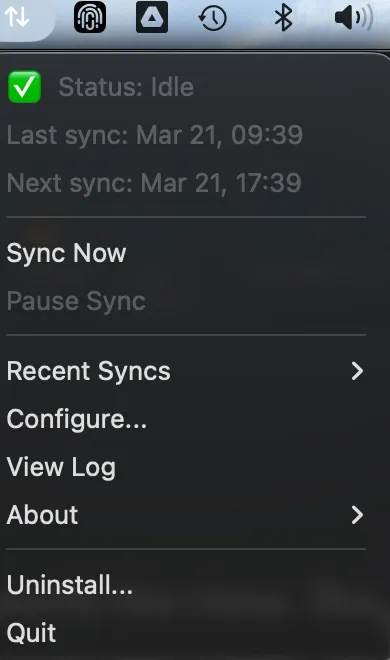
The initial build worked, but during testing, I found security issues Claude Code had not flagged, unexpected behavior when there were no new files to sync and missed failure modes when the sync got interrupted. If I had used BMAD, those questions would have been asked during the spec phase but I would have spent a LOT of time on it.
My rule of thumb now: use BMAD for substantial projects, especially those with real users, external integrations, or security surface area. For smaller features, plan mode works, but you need to be the one asking the difficult questions, because the AI might not ask them unprompted.
Across all three projects, I kept spending too much time on setup and review than generation, which led me to invest in making every future Claude Code session better from the start.
How I Use CLAUDE.md to Set Standards
The other investment is writing a good CLAUDE.md per project.
Here is what I include in mine:
- Project overview and who it is for
- Tech stack and framework versions
- Key build, test, and deploy commands
- Project structure
- Coding conventions
- Important rules like never committing secrets, static export constraints, accessibility requirements etc.
Be sure to keep your file small (less than 200 lines) and link it to any skills it may require ad hoc using “import”. Follow the official guidelines.
Using Claude Beyond Coding
I also use Claude Cowork. It's a good utility that I use as a co-author for content that has nothing to do with shipping code. The most unexpected use case is drawing comics (dog-man style) for my 8-year-old son, where I bring his funny stories to life in minutes, like how our cat can save the world with his acid poop!

In addition, recent blog posts on ranthebuilder.cloud, including this one, go through a refinement process with Claude with a detailed style guide that enforces my tone and avoids patterns I dislike.
I followed Ruben’s excellent guide to set up my personality and AI writing guidelines so it follows my writing style, and it works pretty well!
Claude Code Lessons After Shipping Real Projects
After months of daily Claude Code usage, the core lesson has not changed: your domain expertise is the bottleneck, not the tool. Write a solid CLAUDE.md so every session starts with the right context. Seek out community skills that cover your blind spots, and use Claude beyond code because some of the best returns come from workflows you did not expect.
But I am far from done learning. The next thing on my list is getting serious about the skill creator and turning more of my Serverless blog posts into proper Serverless custom skills, using my own published content as the authority of knowledge, so that Claude Code reviews against the same standards I write about publicly.
I also want to explore agent teams and tools like Claude Code remote control to see whether orchestrating specialized agents can deliver on the promise that simple sub-agent setups have not yet delivered for me.
Be sure to follow me on LinkedIn for more AI security and best practices blog posts!