


If you’re using AI coding tools and not thinking about structure yet, you will be soon.
AI coding tools make you faster. But speed without structure means you’re shipping ambiguity at scale. Spec-driven workflows fix this: agree on what you’re building before the AI writes a line of code.
I evaluated three spec-driven AI SDLC tools against the same real feature: a medium-sized backend addition to an existing serverless Python service, involving security, authentication, and IaC.
This post breaks down what each tool does, how they compare, and which one to pick - so you can add structure, speed, and predictability to your AI development workflow.
What Is Spec-Driven AI Development?
The idea behind spec driven is simple. You define and refine what you’re building in a written spec before a line of code is generated. You bring a ticket or rough idea, work with the AI to turn it into a structured spec covering behavior, boundaries, edge cases, and system fit. It surfaces gaps you didn’t think of. You push back, add constraints, and sign off. Then the AI implements the spec based on that, instead of your original half-formed prompt.
These tools guide any AI coding agent through SDLC stages, regardless of IDE. Ran Isenberg’s AI-Driven SDLC post covers the broader framework: governance, security controls, and how the pieces fit together.
The Three Spec-Driven AI Tools Under Evaluation
I researched three tools from an enterprise perspective. However, there are other tools on the market, but they are either early-stage, solo-oriented, or lack the structure needed for teamwork. These three cleared the bar:
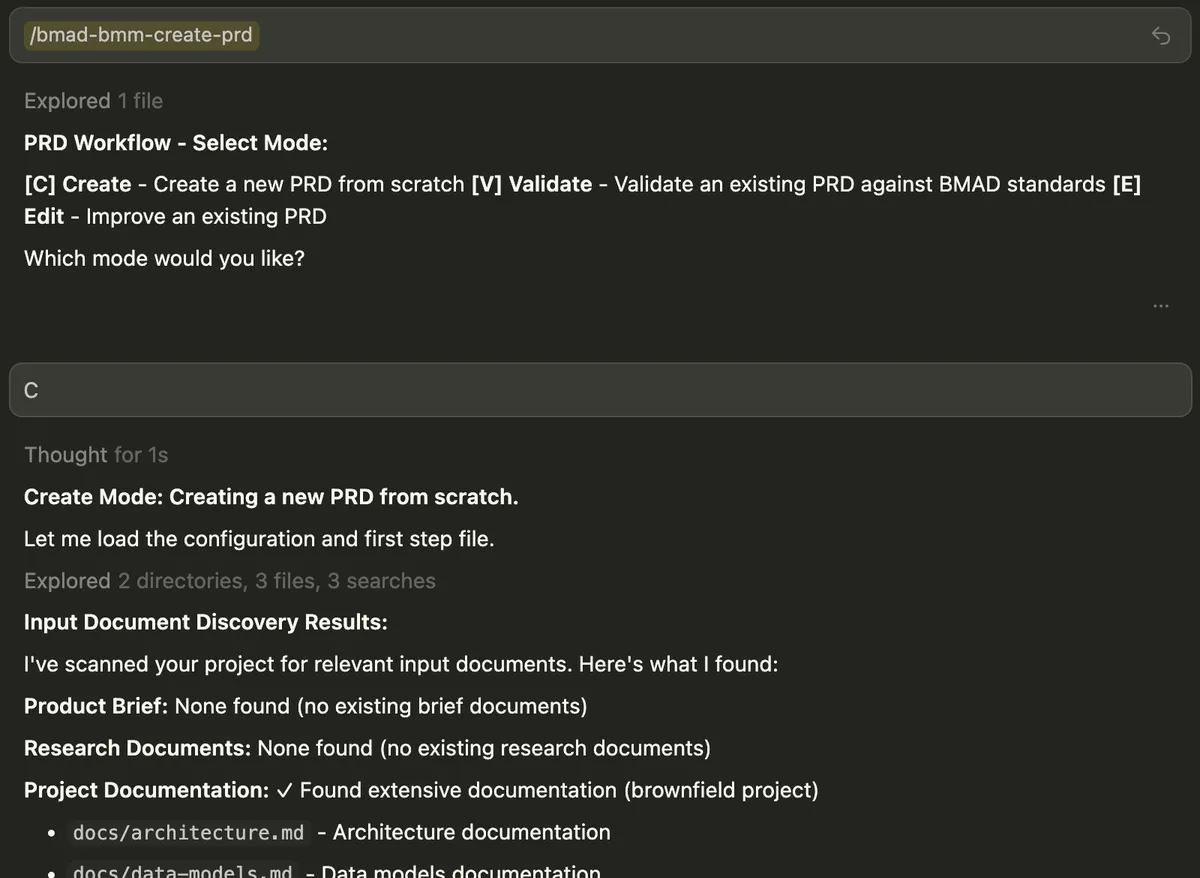
BMAD (v6.0.3) is a full-lifecycle framework with dedicated elicitation and course-correction workflows. I tested two modes: full flow for complex features, and Quick Flow that skips straight to implementation. Planning spec artifacts merge into your project’s docs/ folder as standard documentation, not a tool-specific artifact tree.
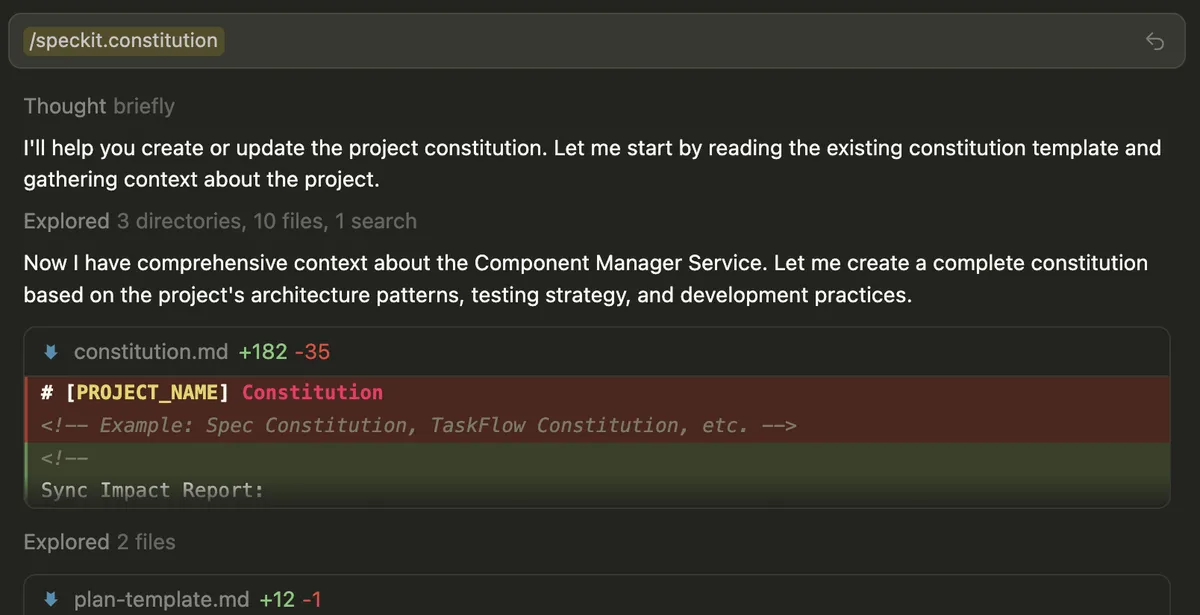
Spec-Kit (v0.1.6) is GitHub’s spec-first tool. You define a project-wide constitution once and every spec inherits those rules. Templates flag unknowns as NEEDS CLARIFICATION rather than guessing.
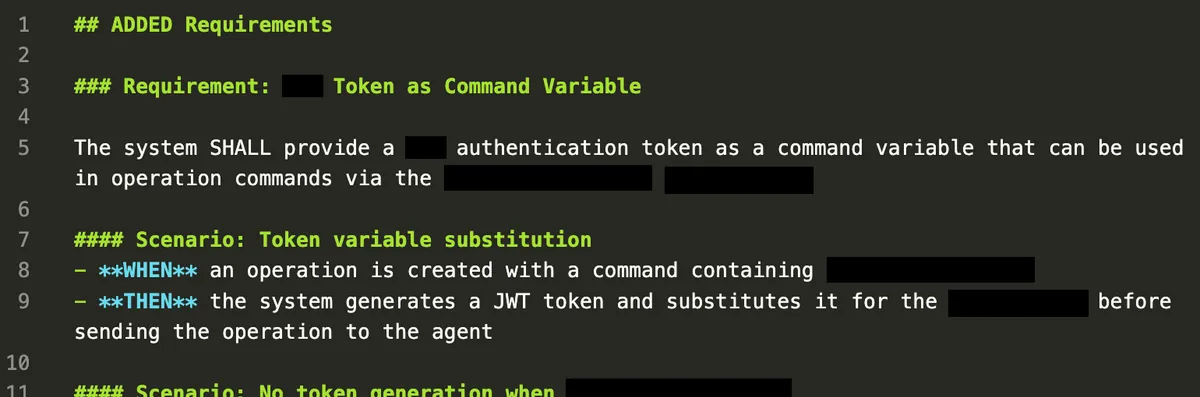
OpenSpec (v1.2.0) keeps the lightest footprint. You write delta specs: only what’s changing. Completed specs archive and merge into a source-of-truth document that grows with the project.
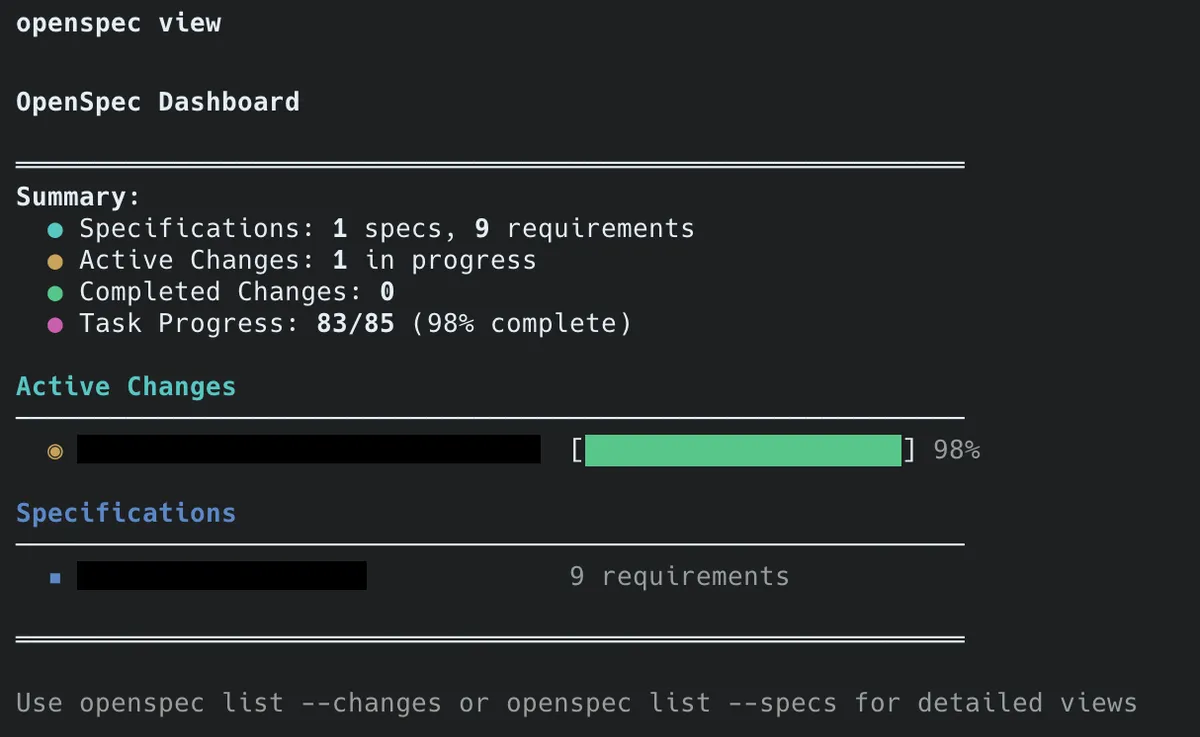
All versions evaluated in February 2026. These tools move fast; verify current docs before deciding.
Honorable Mentions
AI-DLC, AWS’s take on this domain. Raw markdown rules, no CLI. Too early-stage to evaluate.
GSD, solo vibe-coding tool. Too simple for structured team evaluation.
SDD, full disclosure, I’m involved in its ideation. Not mature yet.
The Evaluation Executive Summary
I ran all four flows on the same feature, same codebase, same IDE: Cursor with Claude Sonnet 4.5. Each run covered the full arc from high-level design to a PR. The quality of generated code depends on many things outside the tool: repository skills, context, model, the developer. What the tool controls is the spec and the plan.
I defined 13 categories and scored each tool from 1 to 5, 5 being the best, 1 the worst.
Take these scores with a grain of salt, as they are highly opinionated and match my requirements.
| Dimension | BMAD | BMAD Quick | Spec-Kit | OpenSpec |
|---|---|---|---|---|
| Specification quality | 4 | 3 | 2 | 4 |
| Adaptability | 4 | 4 | 2 | 3 |
| Time to pull request | 2 | 5 | 5 | 5 |
| Developer experience | 2 | 3 | 3 | 4 |
| Iterative refinement | 5 | 3 | 2 | 3 |
| Human review checkpoints | 2 | 5 | 3 | 5 |
| AI coding tool compatibility | 4 | 4 | 4 | 5 |
| Parallel development support | 2 | 2 | 5 | 5 |
| Workflow visibility | 5 | 5 | 2 | 4 |
| Installation and upgrade experience | 4 | 4 | 2 | 4 |
| Project health | 4 | 4 | 2 | 3 |
| Cost | 4 | 5 | 5 | 5 |
| Mid-feature course correction | 5 | 3 | 2 | 4 |
| Final score | 3.65 | 3.74 | 2.77 | 4.00 |
OpenSpec scored highest overall, but that number shifts with different priorities. Prioritize iterative refinement or course correction over BMAD, and let BMAD take the lead.
Below, you will find the category breakdown and my mark reasoning.
Want to cut to the chase? Skip to the Decision Guide.
Specification Quality
How readable the spec is, how well it fits the existing architecture, and whether it covers enough for test planning.
| BMAD | BMAD Quick | Spec-Kit | OpenSpec | |
|---|---|---|---|---|
| Specification quality | 4 | 3 | 2 | 4 |
The feature’s authorization design had the biggest gaps between the tools. BMAD and BMAD Quick added permission checks; Spec-Kit and OpenSpec trusted caller-supplied context. Neither flagged it during planning. Mitigatable with custom rules or skills.
BMAD Full produced the deepest planning artifacts: a complete PRD, architecture doc, and story breakdown. The trade-off: the artifact set is heavy and hard to review.
BMAD Quick uses a single combined spec document. More approachable to review, though the planning depth is shallower.
Spec-Kit planning artifacts were well-structured, but the gap was implementation: produced code didn’t faithfully map to spec intent.
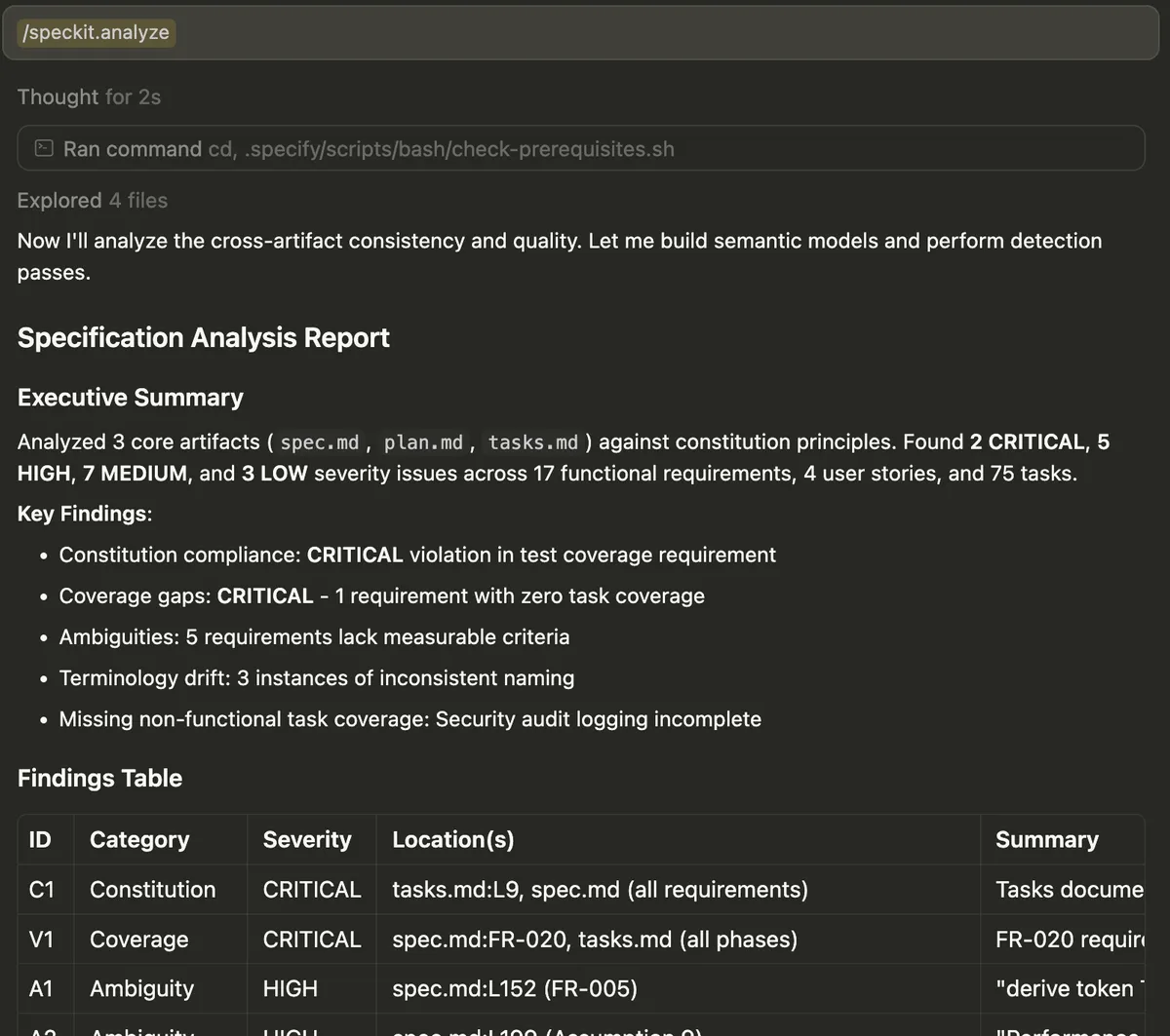
OpenSpec’s delta specs keep each document compact and reviewable. Tracking stayed accurate, making it easy to verify implementation against plan.
Day-to-Day Friction
How clear the steps are, how quickly you get productive, whether you can tell where you are in the workflow, and how review checkpoints and IDE integration hold up.
| BMAD | BMAD Quick | Spec-Kit | OpenSpec | |
|---|---|---|---|---|
| Developer experience | 2 | 3 | 3 | 4 |
| Workflow visibility | 5 | 5 | 2 | 4 |
| Human review checkpoints | 2 | 5 | 3 | 5 |
| AI coding tool compatibility | 4 | 4 | 4 | 5 |
BMAD Full scores high on visibility because /bmad-help reads your project state and tells you what to do next. But it mostly exists to rescue you from BMAD’s own complexity. Twelve agents, a heavy artifact set and a steep learning curve.
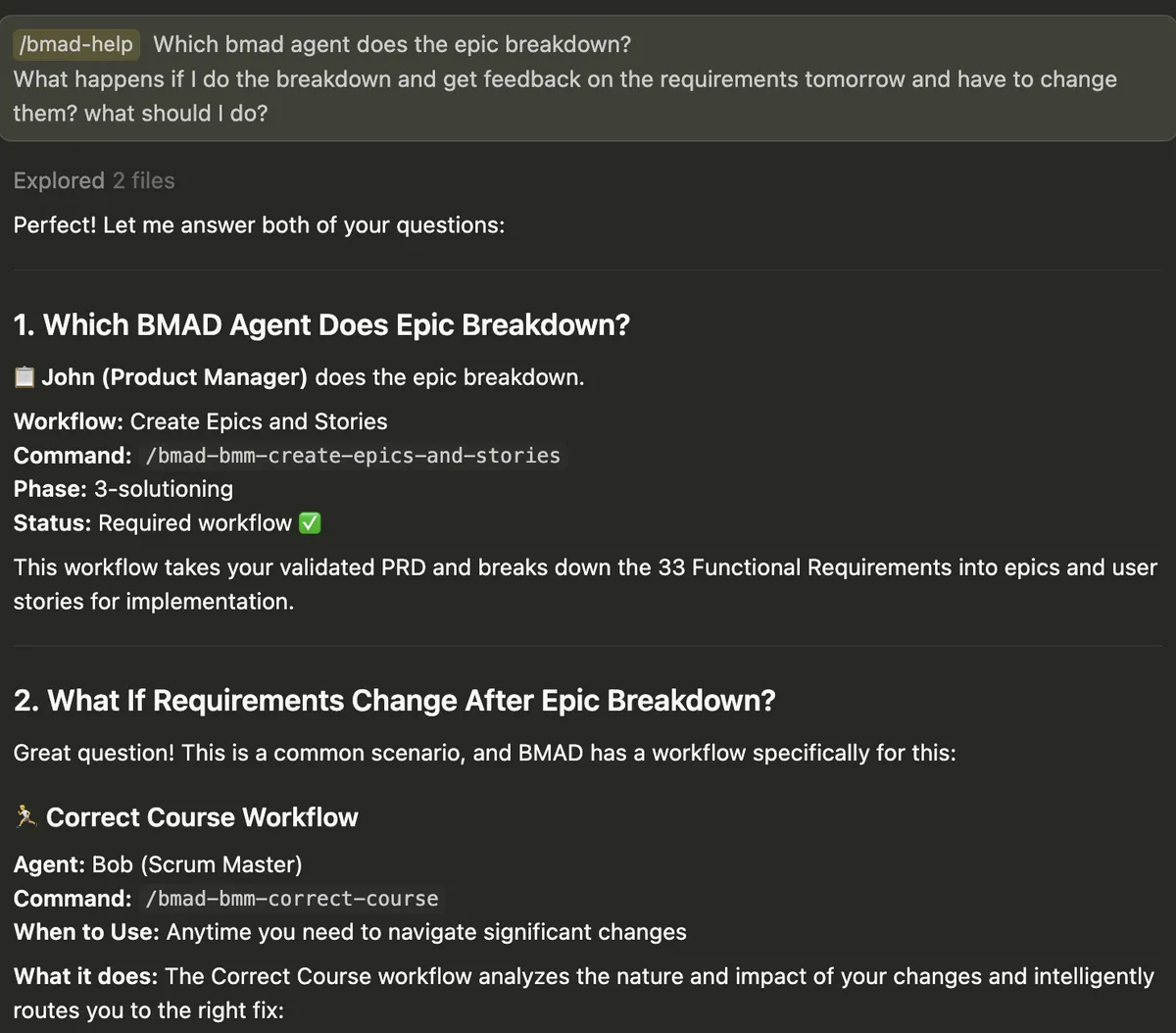
BMAD Quick has the lowest barrier to start: two steps, one document, the same elicitation quality as the full flow. /bmad-help is available but rarely needed. The flow is simple enough without it.
Spec-Kit generates execution-internal artifacts (research notes, status files) that land in your project root alongside source code, not meant for human review. No help command or status view: the tool doesn’t tell you where you are or what to do next.
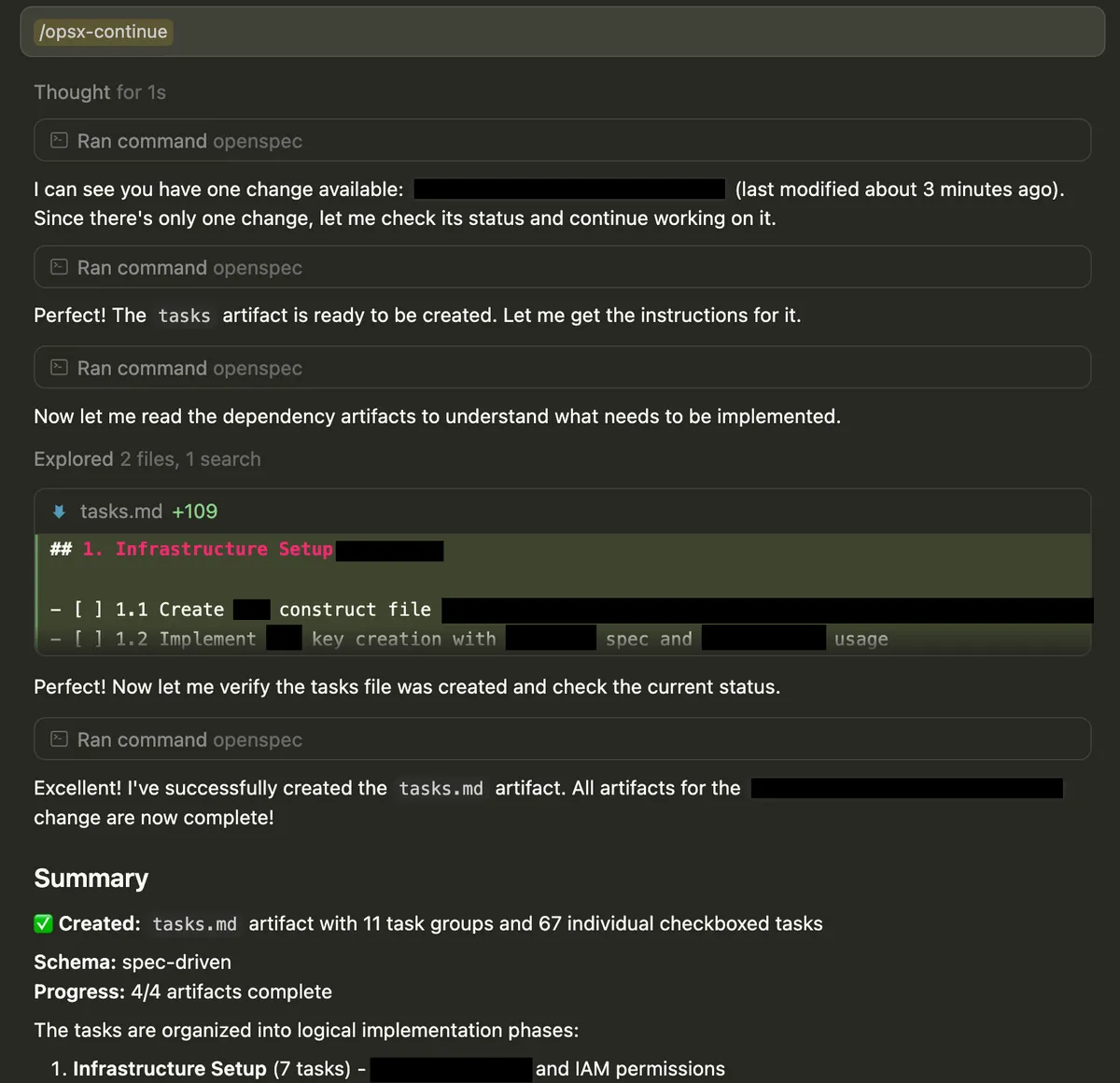
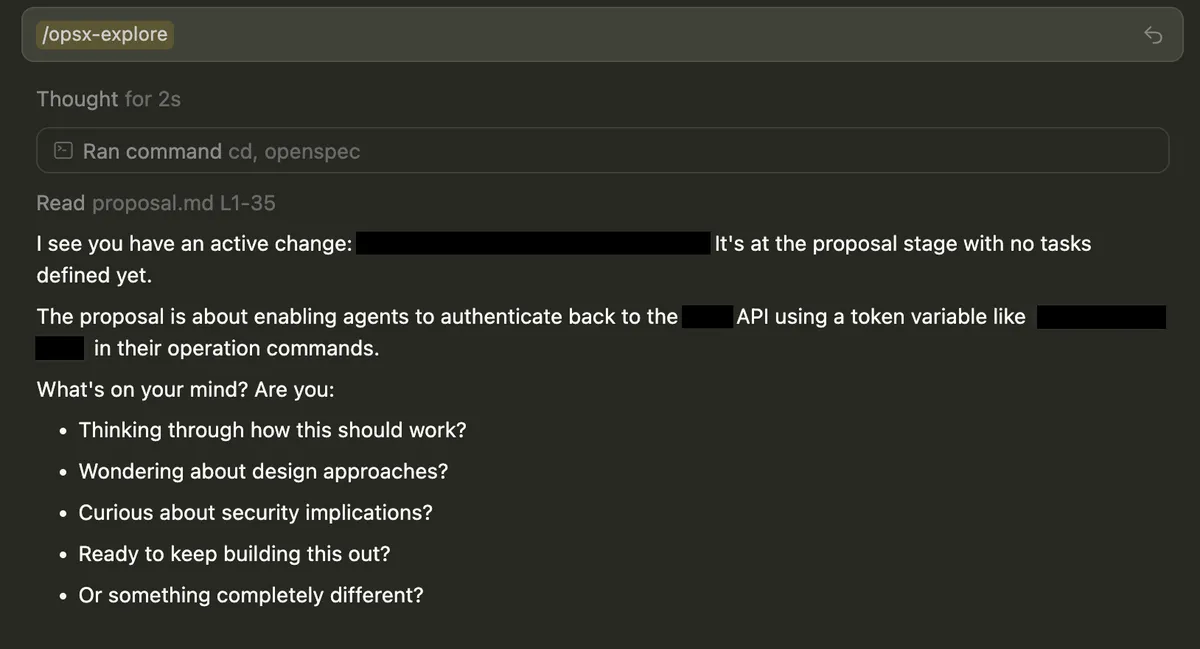
OpenSpec gives clear messaging and always suggests the next step. openspec status shows artifact state and /opsx:continue displays the dependency graph. It also has the richest IDE integration, with skills installed by default across 24 tools. The friction is trust: it sometimes assumes context and adds rationale to decisions you didn’t make.
Elicitation, Review, and Course Correction
Whether the tool enforces clarification loops and adversarial review or just makes them possible, and whether you can revise direction mid-feature without starting over.
| BMAD | BMAD Quick | Spec-Kit | OpenSpec | |
|---|---|---|---|---|
| Iterative refinement | 5 | 3 | 2 | 3 |
| Mid-feature course correction | 5 | 3 | 2 | 4 |
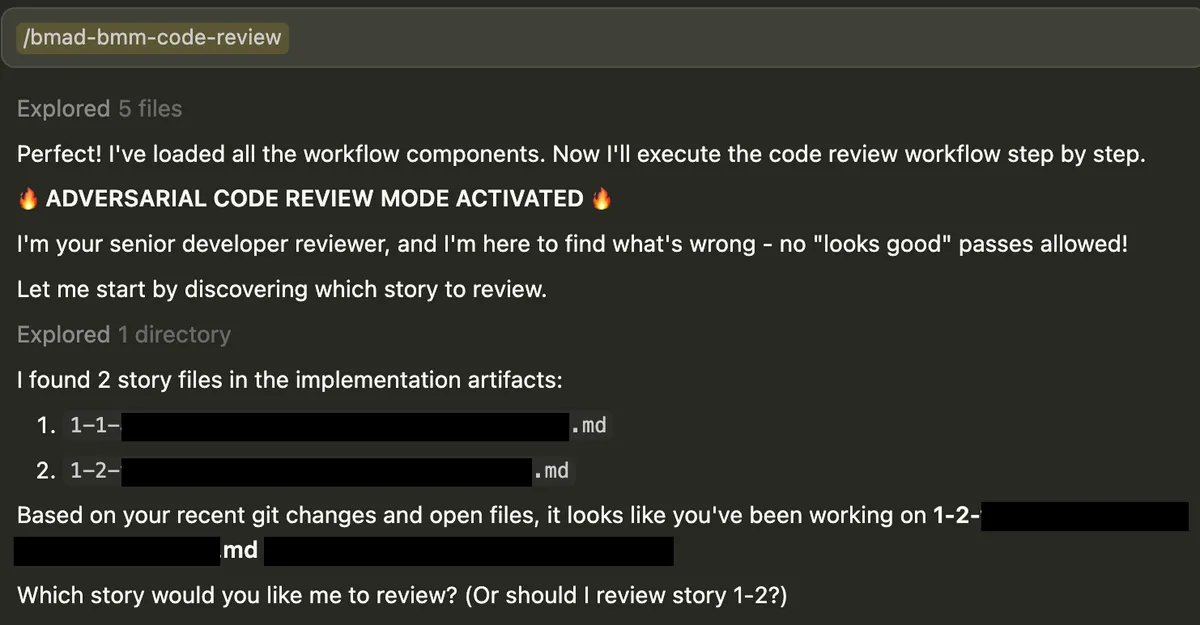
BMAD Full earned its 5/5 here. The adversarial code review (/bmad-bmm-code-review) surfaces issues before passing; in testing it caught things a standard review would miss. Party Mode runs multiple agent personas through the design before implementation. Worth the complexity tax for the right project.
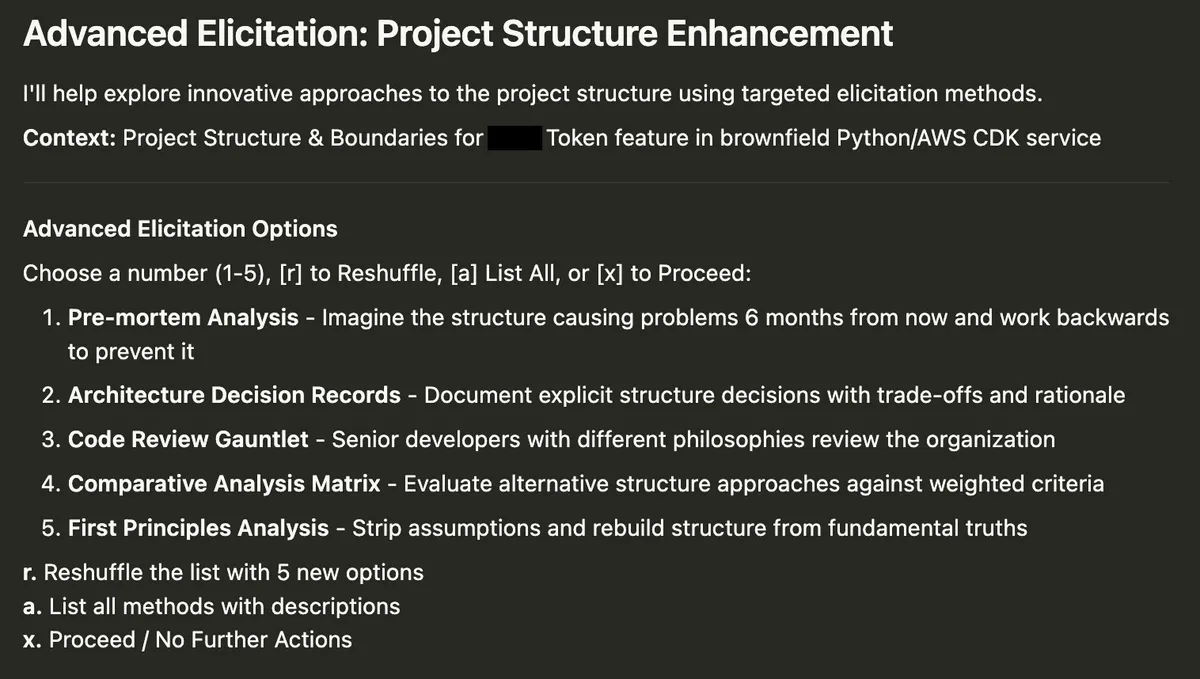
BMAD Quick shares the full flow’s elicitation. Implementation review is a self-check, not a separate adversarial loop. No course-correction command: edit tech-spec.md and re-run /bmad-bmm-quick-dev. For small work, that’s enough.
Spec-Kit has no built-in code review step. Iteration stops at the planning phase. Changing direction means re-running affected commands, each regenerating its full document. A plan your team already reviewed gets replaced entirely, with no diff of just the changed sections.
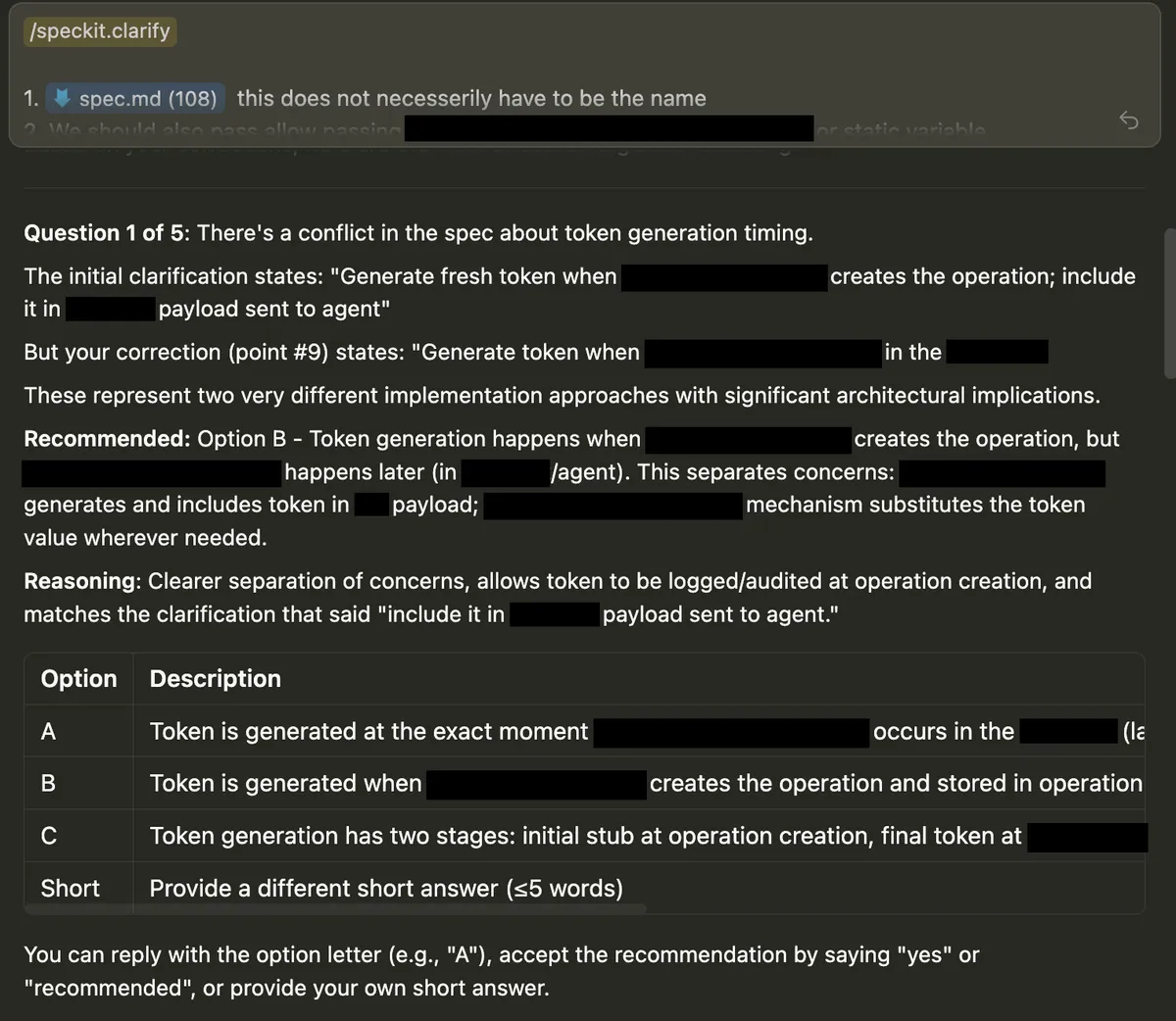
OpenSpec handles course correction through fluidity: edit any artifact at any time, run /opsx:apply, and it continues from where you left off. Iteration is frictionless but not enforced. No review gates between phases.
Installation, Upgrades, and Adaptability
Prerequisites, upgrade effort, risk to existing customizations, and how far you can push template and workflow customization to tailor your organization’s needs.
| BMAD | BMAD Quick | Spec-Kit | OpenSpec | |
|---|---|---|---|---|
| Installation and upgrade experience | 4 | 4 | 2 | 4 |
| Adaptability | 4 | 4 | 2 | 3 |
BMAD preserves customizations across upgrades via .customize.yaml. Workflow-level overrides aren’t supported yet.
Spec-Kit has known upgrade issues that overwrite customization files.
OpenSpec has the cleanest upgrade path: user content and tool files live in separate directories. Anything beyond light customization requires forking the workflow.
Speed, Cost, and Parallel Work
Total time from ticket to opened PR (team review excluded), dollar cost, and whether the artifact structure isolates parallel feature work.
| BMAD | BMAD Quick | Spec-Kit | OpenSpec | |
|---|---|---|---|---|
| Time to pull request | 2 | 5 | 5 | 5 |
| Cost | 4 | 5 | 5 | 5 |
| Parallel development support | 2 | 2 | 5 | 5 |
Raw time and cost breakdown behind those scores:
| BMAD | BMAD Quick | Spec-Kit | OpenSpec | |
|---|---|---|---|---|
| Planning time | 2 days | 5 hours | 4 hours | 3 hours |
| Implementation time | 4 days | 1.5 days | 1 day | 1 day |
| Planning cost | $50 | $30 | $30 | $25 |
| Implementation cost | $150 | $55 | $45 | $70 |
BMAD Full is the outlier. At $33 day the dollar cost is reasonable, but six days total adds up. Worth it when design correctness matters. Hard to justify for straightforward features.
BMAD Quick, Spec-Kit, and OpenSpec land in the same ballpark on both speed and cost. The differences are noise.
For parallel work, Spec-Kit and OpenSpec give every feature its own isolated directory. Two engineers don’t touch the same files by design. BMAD puts all output into a shared directory by default. Isolation is configurable but not enforced out of the box.
OpenSource Health
Bus factor, commit frequency, issue responsiveness, and community momentum.
| BMAD | BMAD Quick | Spec-Kit | OpenSpec | |
|---|---|---|---|---|
| Project health | 4 | 4 | 2 | 3 |
| BMAD | Spec-Kit | OpenSpec | |
|---|---|---|---|
| Commits (90 days) | 458 | 37 | 158 |
| Open issues / close rate | 44 / 94.3% | 533 / 36.8% | 201 / 24.2% |
| PR backlog (open / median age) | 6 / 1 day | 94 / 62 days | 37 / 30 days |
| Bus factor | 2 | 2 | 1 |
BMAD is the healthiest project, with responsive Discord support. Spec-Kit has a stale PR queue and no community channel. OpenSpec is built by one person. You’re betting on these teams as much as these tools.
Decision Guide: How To Pick Your Tool
Here’s how to match the tool to your situation.
If you want the lowest-friction start: OpenSpec. Best out-of-the-box experience, parallel work by default. Delta-spec fits existing codebases without describing the whole system. The trade-off is lock-in: opinionated about where specs live, and the CLI won’t bend. One maintainer, one vision. If that doesn’t fit your org, you’ll hit walls early.
If design correctness is critical: Use BMAD Full. The adversarial code review, Party Mode, and course-correction workflow catch design mistakes before they compound. The planning depth pays for itself when a wrong decision is expensive to reverse.
If you’re shipping small, well-scoped work: BMAD Quick works: two steps, one document, same elicitation quality. But for work that small, Plan Mode is enough. Spec-driven workflow adds overhead simple features don’t justify.
If you need deep customization, or none of the above fits: Use BMAD. Agent overrides via .customize.yaml survive upgrades, the Builder generates custom agents and workflows, and customization is durable. BMAD is the only tool where “it doesn’t do what I want” leads to configuration.
Early Adoption Takes a Toll
None of these tools is ready for large enterprise adoption without modification. Not when I evaluated them but the space is constantly evolving.
While I was evaluating Spec-Kit, they shipped extension hook support that didn’t work on release, then fixed it before I finished writing. Features land, break, and get patched between evaluation cycles. Anything here could be outdated by the time you read it.
By the time you roll out your pick, a new tool might be ahead of it. If you’re running a large R&D platform, I’d prioritize reducing lock-in over picking the “best” tool.
Here are some gold tips:
- Wrap the tool’s installation and setup. Own the governance layer: what gets installed, how it’s configured, what parameters are enforced across repos. Don’t let every team run init with different flags.
- Design the experience you want, not the one the tool ships. Decide the workflow steps, artifacts, formats, and review gates your org needs. The tool implements that experience but it doesn’t define it.
- Abstract the user interaction with custom skills. A command like /my-company-sdd start feature TICKET-123 points to whichever tool-specific workflow sits underneath. Developers learn your company’s commands, not the tool’s. When you swap the engine, habits don’t break.
This won’t make tools fully interchangeable. Swapping tools still changes the developer’s mid-workflow experience. But it contains the blast radius. Entry points, artifact structure, and review process stay the same. That’s enough to make a migration manageable.